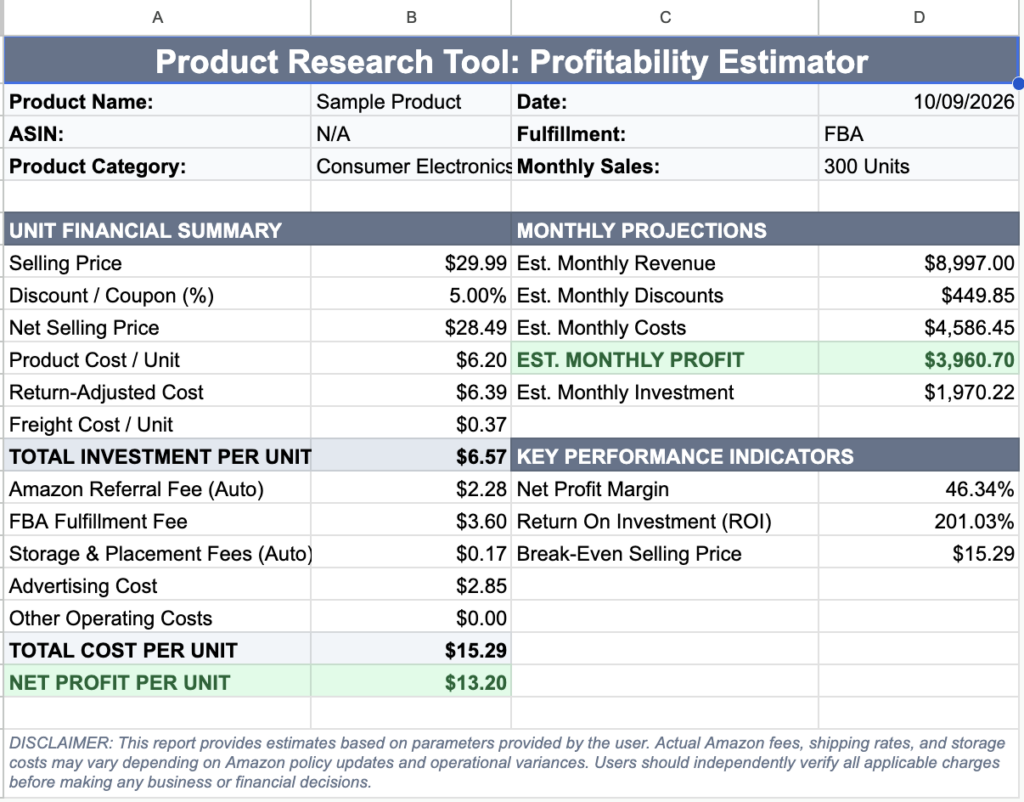
Get step-by-step guidance on running unit economics and margin calculations using the Product Research & Profitability Estimator add-on.
How to Use the Interactive Sidebar
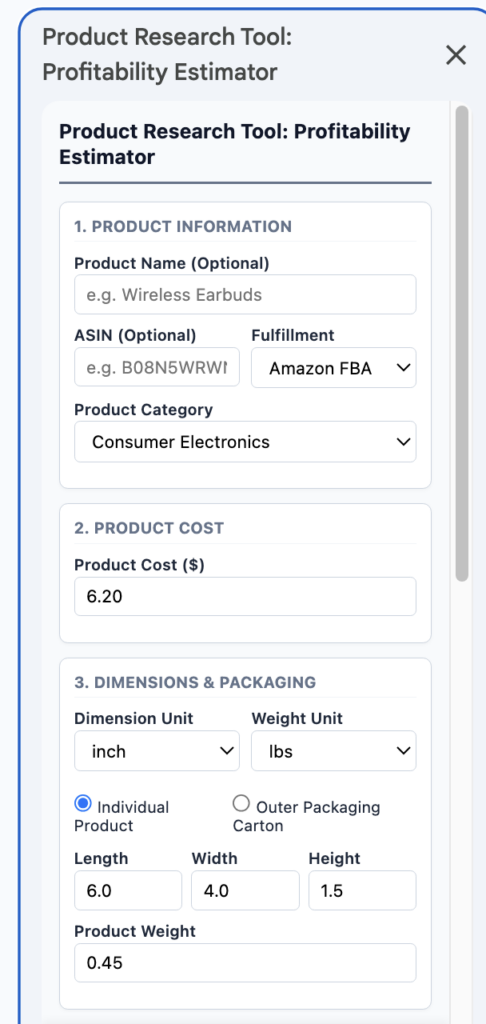
- Product & Cost Setup: Select your fulfillment model (e.g., Amazon FBA) and enter your product name, ASIN, category, and target Cost of Goods Sold (COGS).
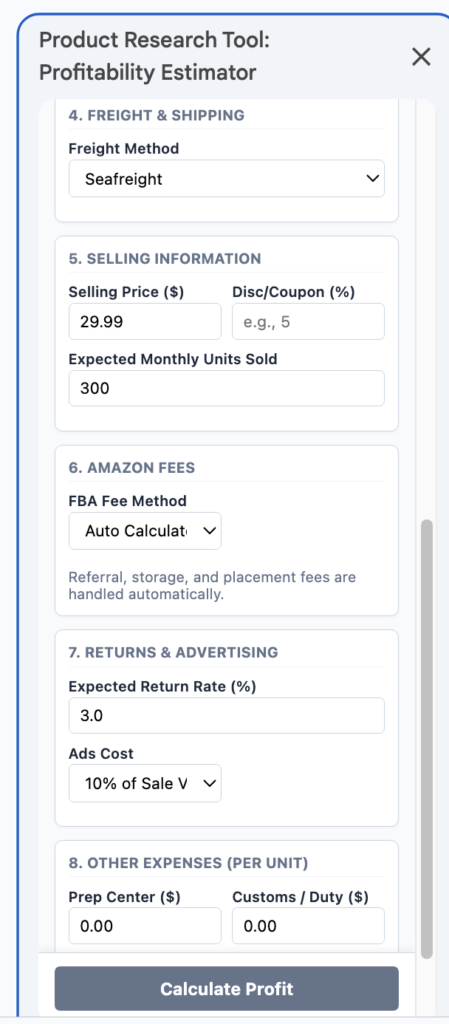
- Dimensions & Freight: Input individual or outer carton measurements, weights, and freight methods (like Sea Freight) to accurately calculate volumetric shipping expenses.
- Pricing & Ads: Set your listing price, discount/coupon percentages, and expected monthly unit sales. Choose your target ad spend percentage or PPC cost.
- Amazon Fees & Operating Costs: Automatically fetch referral, FBA fulfillment, and storage/placement fees while factoring in custom prep center or duty costs.
Understanding Your Report Outputs
- Unit Financial Summary: Review itemized breakdowns of landed costs, total investment per unit, referral fees, and net profit per item.
- Monthly Projections: Track projected total monthly revenue, monthly investment requirements, and estimated net monthly profit.
- Key Performance Indicators (KPIs): Instantly evaluate net profit margins, Return on Investment (ROI), and breakeven selling prices before ordering inventory.